


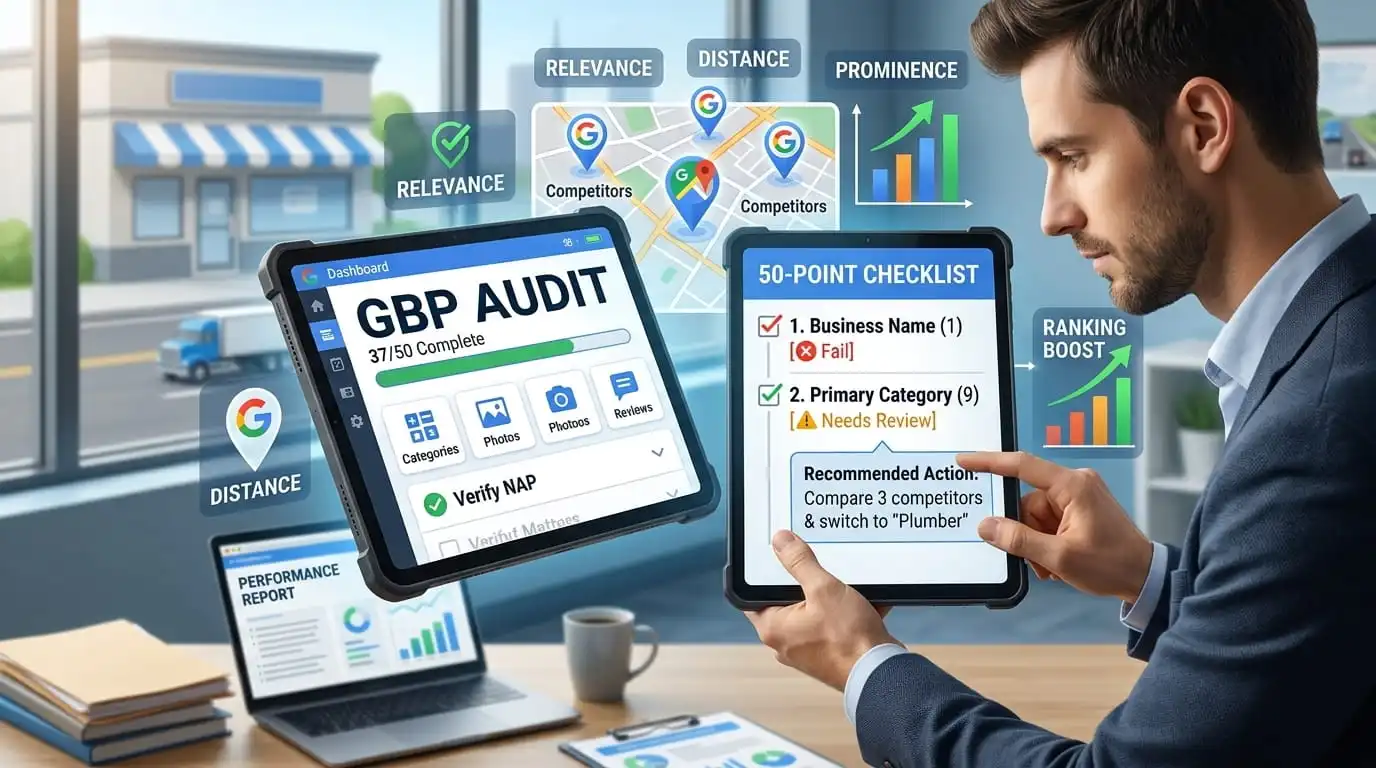
A Google Business Profile audit is a structured review of your listing, reviews, photos, website links, and local competitors to identify what is wrong, missing, or weaker than what the businesses outranking you have. This guide gives you a 50-point checklist with practical priorities, a process you can finish in about two hours, and a template for recording what you find.
One caveat first. An audit identifies problems and opportunities that may affect your local visibility, but it cannot guarantee a specific position on Maps. Google says local results are based primarily on relevance, distance, and prominence, and that there is no way to pay for better placement in local results. What an audit can do is help you fix the things you control.
A note on sources. When this guide says “Google guidance,” it refers to Google’s own help pages and policies. When it says “practitioner observation,” it refers to surveys, tests, and field experience from local SEO professionals. Those observations are useful, but Google has not confirmed them, so they should not be read as official ranking factors.
A Google Business Profile (GBP) audit is a systematic check of every part of your listing, including business details, categories, services, reviews, photos, website connection,n and competitor context. Its purpose is to identify the errors, gaps, and weak spots that affect how customers find and choose you on Google Search and Maps.
You will also see the same exercise, called a Google My Business (GMB) audit. Google renamed the product in 2021, so the terms describe the same thing, and “GBP audit” is the shorthand most tools use today.
An audit diagnoses, and optimization treats. The audit tells you which fixes deserve attention first, which is why it should come before any spending on local SEO and why it is worth repeating after major changes to your business.
A good audit follows the framework Google itself describes for local results: relevance, distance, and prominence. Each factor points to a different set of checks.
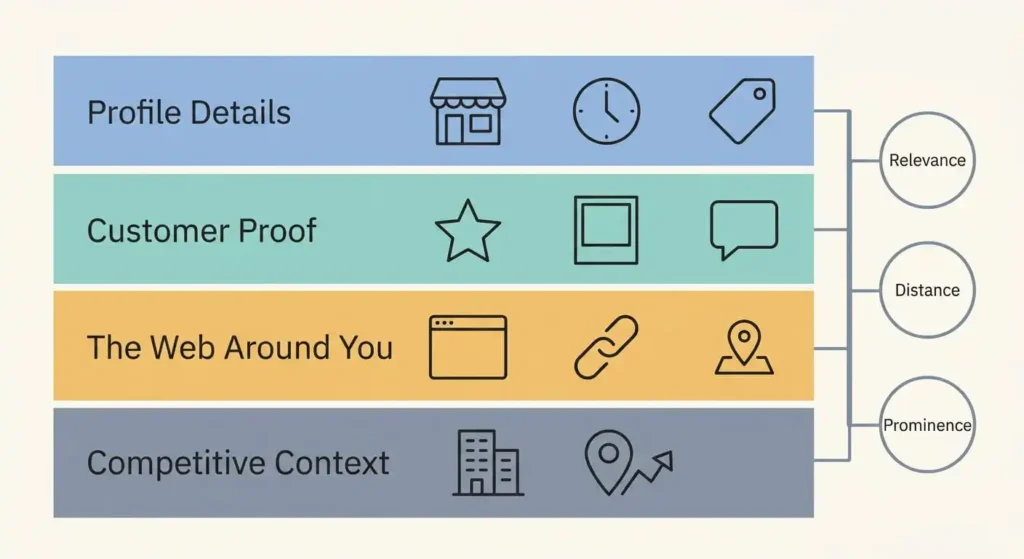
These checks directly align with the factors Google officially prioritizes to determine local results. For a detailed breakdown of how Google defines these core factors, you can review Google’s official guidance on improving your local ranking.
In practice, an audit inspects four layers. The first is the profile itself: name, address, hours, categories, and services. The second is customer-facing proof: reviews, photos, updates, and the performance data behind them. The third is the web around the profile, including your website, directory listings, and structured data. The fourth is context: who you compete against, where you appear on the map, and whether anything on the listing puts it at risk of suspension.
That fourth layer separates a real audit from a completeness check. A profile can be fully filled in and still lose to a competitor that is closer to the searcher, has far more reviews, or matches the search better. Completeness gets you to the starting line, and the competitor comparison shows how much further there is to go.
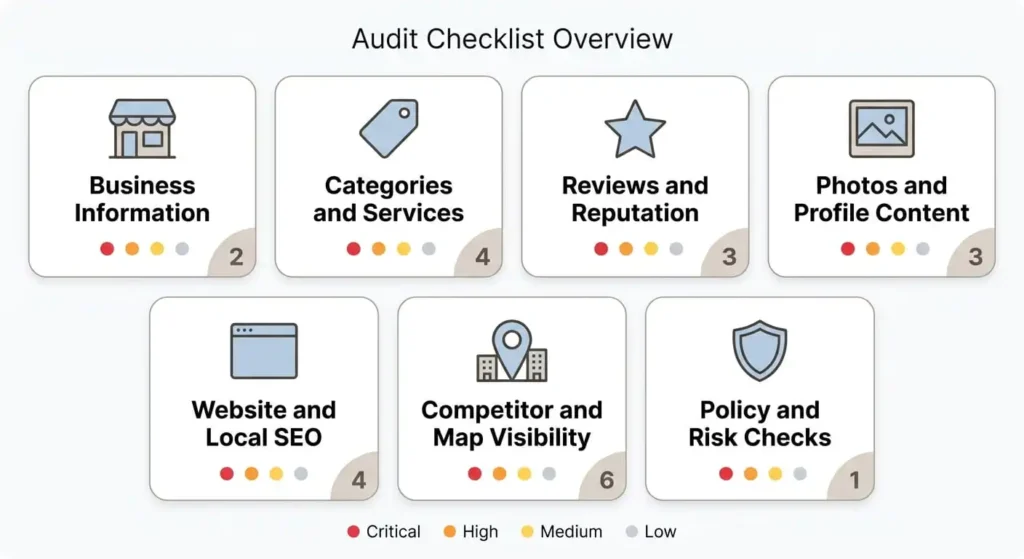
The checklist below has 50 checks in seven groups. Each carries a priority label so you know where to start instead of treating every line as equally urgent.
The labels describe practical audit priority, meaning how urgently an item deserves attention given accuracy, customer impact, policy risk, and effort. They do not describe guaranteed ranking impact.
If you only have twenty minutes, start with the Critical checks: 1, 2, 3, 5, 8, 9, 21, 44, and 46. Where an item’s effect depends solely on a practitioner’s observation, the check reflects that.
These checks confirm that customers and Google see the same accurate facts about your business.
These checks decide how clearly your profile says what you do.
These checks look at the quantity, recency, quality, and handling of your reviews, as well as how you collect them.
These checks cover what customers see before they decide to contact you.
These checks look at the web signals surrounding your profile.
These checks show where you stand relative to the businesses your customers actually compare you with.
These checks protect the profile from suspension, hijacking, and confusion.

Set aside about two hours, sign in as an owner or manager, and open a spreadsheet to record findings. The numbers in brackets refer to the checklist above, so this section covers method rather than repeating each check.
The numbers below are illustrative and are used to show the method. They are not real market data, and closing a review gap does not guarantee a better ranking because rankings depend on relevance, distance, and prominence.

Imagine a Calgary plumbing company with 48 reviews and a 4.6-star rating. The three businesses above it in the local pack have 212, 167, and 96 reviews, so the median is 167, and the gap is 119 reviews. Now add pace. Suppose each competitor earns about 6 new reviews a month, and this company earns 3. If it raised its own pace to 12 per month, it would gain roughly 6 reviews per month on each competitor, so closing the gap would take about 20 months at those made-up rates.
The useful lesson is scale, not prediction. A gap of this size is a long-term project, so the plan should focus on a policy-compliant, repeatable request routine rather than a burst of activity. It should also ask whether the gap reflects business age, brand recognition o, or a competitor’s better location, none of which reviews alone can change.
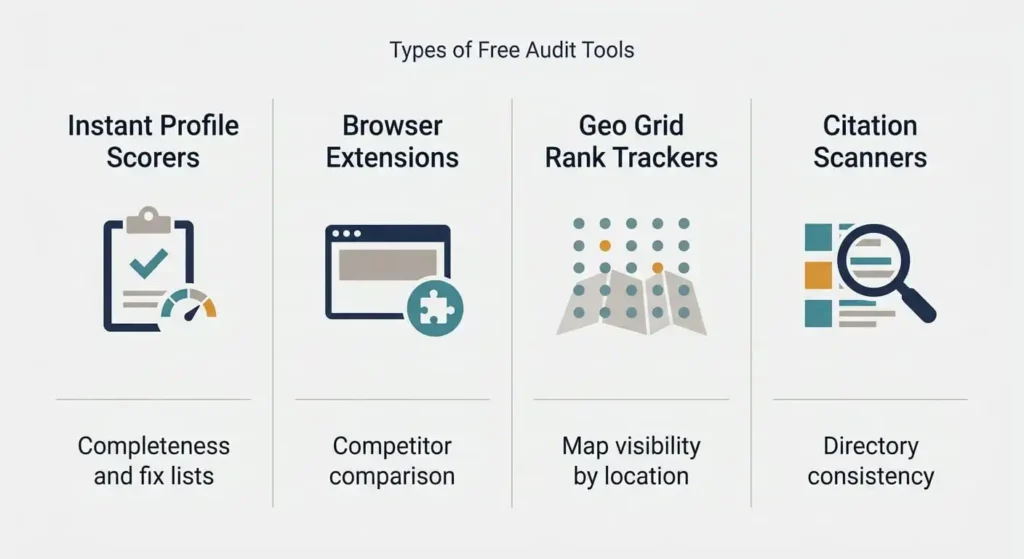
Free audit tools fall into a few distinct types, and each answers a different question. A tool that scores profile completeness cannot tell you where you rank on the map, and a rank tracker cannot tell you whether your categories are right. Pick by the question you need answered.
Free tiers and limits change often, so confirm the current terms before relying on any of them. Many free audits are lead generation for agencies or software vendors, which is fine, but expect a follow-up email and treat any “revenue opportunity” estimate as a sales figure rather than a measurement.
A few practical rules help. Prefer tools that need only your business name and read public data over tools that ask you to sign in with Google, and grant access only to a vendor you would trust with the profile. Use a scorer for a fast baseline, an extension for competitor categories, and a geo grid when you need to see where you win and lose across the map.
Every free scorer has the same limit. It can read what is on the profile, but it cannot see your proximity to each searcher or the prominence you earn elsewhere on the web. A perfect score means nothing is missing, not that you will beat a competitor who is two blocks closer.
Copy the layout below into a spreadsheet and add one row for each of the 50 checks. The columns are: Audit item, Status, Issue found, Priority, Recommended action. Use only three statuses: Pass, Fail, and Needs review. The sample rows show the level of detail that makes the sheet useful later.
| Audit Item (ID) | Status | Finding / Issue | Priority | Action Required |
| Business name (1) | ❌ Fail | Name includes “Best Plumber Calgary” | Critical | Revert to the real business name and record the date |
| Primary category (9) | ⚠️ Needs review | Category is “Contractor” instead of “Plumber” | Critical | Compare three competitors, then switch if a more specific option fits |
| Reply coverage (19) | ❌ Fail | 34 of 61 reviews unanswered | High | Reply to the last 90 days first, then work through the backlog |
| NAP on directories (33) | ❌ Fail | Old phone number on two directories | High | Correct at the source and recheck in two weeks |
| Interior photos (24) | ✅ Pass | Eight photos, newest three weeks old | None | No action required |
| Recent update (28) | ❌ Fail | Last post five months ago | Low | Publish one offer and schedule a monthly post |
Add a second sheet for competitor benchmarking so the numbers behind your decisions stay visible. Give it one column for your business, one for each of three competitors, and one for the competitor median. Include these rows: primary category, secondary categories where a tool can display them, review count, average rating, reviews in the last 90 days, owner reply rate, photo count, latest photo date, storefront or service area, and landing page type.
When the sheet is complete, sort by priority and work from the top. The point of the template is the schedule it creates, because findings without owners and dates rarely get fixed.
A Google Business Profile audit for Canada uses the same checklist, but the details that go wrong tend to be local. Most of them come down to formatting, language, and the way Canadian cities are laid out.
The way the audit changes depends on the market:
A Google Business Profile audit in Calgary for a home services company often starts with the service area. A business in the northeast may appear prominently nearby and rarely in the southwest, and a geo grid makes that pattern visible in minutes. That finding shapes the plan: it may point to service pages, to customer reviews in weaker areas, or to a realistic decision about which neighborhoods to target.
Some Canadian agencies offer free manual audits delivered as a report. They can be a useful second opinion, but expect them to include a sales pitch, and compare their findings with your own checklist results.
A GMB audit for local SEO is only useful if the findings change what you do next. The profile is where many local businesses can make quick corrections, but it is one part of a larger system that also includes your website, citations, and links. Here is how common findings translate into actions.
Two cautions apply to the website side. Each service or location page should address a real customer need and include details that the competitor’s page lacks, such as coverage areas, typical scenarios, and proof of work. Pages that repeat the same text, with only the suburb name changed, are the kind of doorway pages that Google’s spam policies target.
Measure results with data you can trust. Record calls, direction requests,nd website clicks from the Performance report before and after changes, and use UTM parameters or call tracking for your own reporting. Log every change with a date so you can connect results to actions. Some edits, such as hours, may show up quickly, while review volume and broader prominence tend to build more slowly.
Local discovery now also includes AI-generated answers, which draw on similar kinds of sources to those an audit examines: profile fields, reviews, and website content. Keeping those three accurate and consistent supports both traditional Maps results and AI answers, though no one can promise how any single change will be treated.
This section applies the checklist to a hypothetical business. The business is invented for illustration, and the findings show the kinds of problems an audit can turn up, not results from a real profile.

Picture a diesel mechanic with a fully equipped service truck based north of Calgary. He repairs semi-trucks and heavy-duty vehicles at roadside locations and customer yards along the Highway 2, Highway 1, and Stoney Trail corridors, as well as in Airdrie, Okotoks, and Strathmore. There is no public shop, so customers never visit. Here is how the audit would work.
In this scenario, the Critical items would be the address setup, the accuracy of the hours relative to when the phone is actually answered, and the category choice. Most other findings would fall under High or Medium until those are settled.
Most failed audits go wrong in the same few ways. Avoiding them is often worth more than adding another checklist item.
Start with the Critical items, log your baseline numbers, and rerun the audit in three months. The comparison between the two audits is what shows you which fixes made a difference.
No. Google publishes Business Profile guidelines, shows performance data to verified owners, and may surface suggestions in the dashboard, but it does not score your profile or benchmark it against competitors. A third-party audit is a structured assessment performed by a consultant, agency, or tool.
Run a full audit every quarter and a ten-minute spot check monthly, covering hours, new reviews, and any edits you did not make. Also, audit whenever something changes: a move, a rebrand, a new service or category, a suspension, a sudden drop in calls, or a competitor jumping ahead of you.
A quick scan with an instant tool takes a few minutes, while a full manual audit with competitor benchmarking takes about two hours for a single location. Businesses with several locations should expect the work to scale with the number of profiles.
Partly. AI tools can analyze information you provide, such as pasted profile text, review exports, and screenshots, and draft review replies and spot inconsistencies. They cannot see private profile data without access, and they cannot run live local rank checks on their own, so verify their findings against the profile itself.
It can help, but no audit can promise a position. Corrections such as accurate hours, a better-fitting category, or a clearer landing page remove problems you control, while review volume and prominence build more slowly. Results also depend on competitors and the searcher’s location.
There is no universal answer, because each tool weighs checks differently and scores are not comparable across tools. Use a score to track your own progress over time. If your score is high and you are still outranked, the gap is probably in distance, reviews, or prominence elsewhere on the web, and the competitor benchmark will show which.
Google discontinued the Q&A API in late 2025 and announced in December 2025 that it would phase out the public Q&A section, replacing it with Ask Maps, its AI-powered conversational feature in Google Maps. Ask Maps launched in the United States in March 2026 and expanded to many more countries, including Canada, by August 2026. Since you can no longer seed questions in the old format, put clear answers in your profile fields, your website, and your review replies instead.
Methods vary by business type and location and may include postcard, phone or text, email, or video verification. Google shows the options available to you inside the profile. Verification matters for an audit because performance data and many management features are available only for verified profiles.
Not sure what to fix first? Yana Digital Solution can review your Google Business Profile, identify key gaps, and provide clear recommendations to improve your local search presence.
Get a Google Business Profile Audit from Yana Digital Solution and turn your findings into an actionable plan.




Comments are closed